How to Hire an AI Chatbot Developer on Fiverr (2026 Guide)
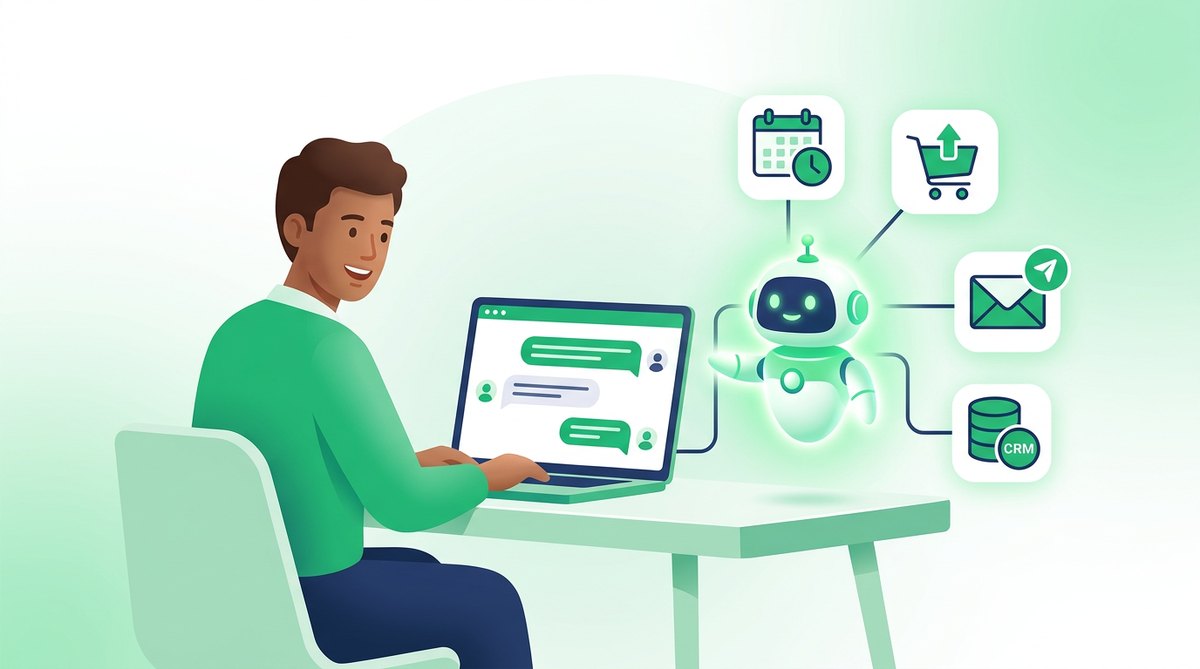
AI chatbots and AI agents are among the fastest-growing services on Fiverr. A search for "chatbot" on the marketplace returns thousands of gigs across categories such as AI Chatbot Development, Chatbot Development, AI Integrations and Automations & Agents. That choice is good news for buyers, but it also makes it easy to pay for the wrong thing. This guide explains how to hire an AI chatbot developer on Fiverr in 2026, how to tell a simple chatbot from a true AI agent, what the work usually costs according to Fiverr's own data, and how to accept the delivery without surprises.
Browse AI chatbot developers on Fiverr
Chatbot or AI agent: decide what you are buying first
Most disappointing chatbot orders start with a vague goal such as "I want AI on my website". Sellers use the words chatbot, assistant and agent loosely, so define the job yourself before you compare gigs. In practice there are four levels of work.
1. Rule-based chatbot
A decision-tree bot with buttons and fixed answers. It does not "understand" free text, but it is predictable and cheap to run. Good for simple lead capture, opening hours, or routing visitors to the right page.
2. AI chatbot on a hosted platform
A large language model (such as GPT, Claude or Gemini) connected to your FAQ or website content, usually through a ready-made platform or widget. It answers questions in natural language. Many entry-level gigs are this type, and for a small site it may be all you need.
3. Custom RAG chatbot trained on your documents
RAG means retrieval-augmented generation: the bot searches your own documents, product data or help center and answers from them instead of guessing. This level involves a vector database, document processing and more testing. It suits businesses with large knowledge bases or strict accuracy needs.
4. AI agent that takes actions
An agent does not only answer, it acts: it books appointments, checks order status, updates your CRM, sends emails or triggers workflows in tools such as n8n, Make or Zapier. Some sellers also build voice agents that answer phone calls. Agents need access to your systems, so they carry more risk and need more careful scoping.
| Type | What it does | Best for | Main risk |
|---|---|---|---|
| Rule-based bot | Fixed buttons and answers | Lead capture, simple FAQs | Feels rigid to visitors |
| Hosted AI chatbot | Answers from your FAQ or site | Small business websites | Paying a lot for a simple setup |
| Custom RAG chatbot | Answers from your own documents | Support teams, large help centers | Wrong answers if data is messy |
| AI agent | Answers and takes actions in your tools | Bookings, orders, CRM tasks | Access to live systems and data |
If you are not sure which level you need, start one level lower than you think. A well-tested simple bot beats an ambitious agent that nobody trusts.
How much does an AI chatbot developer cost on Fiverr?
Prices on Fiverr are set by each seller, so always check current gig packages. For orientation, Fiverr's own 2026 chatbot developer cost guide reports these marketplace figures:
- AI chatbot development projects average around $216 fixed price.
- AI agents development services average about $295 fixed price.
- Custom GPT application development averages near $341.
- Rule-based chatbots average roughly $123.
- Hourly rates for AI chatbot specialists range widely, from about $47 to $270 per hour in that guide.
The same guide breaks projects into scope tiers:
| Scope | Typical features | Typical price range (Fiverr guide) |
|---|---|---|
| Basic chatbot | Rule-based flow, one platform, FAQ handling, simple lead capture | $50 to $200 |
| Intermediate AI chatbot | Natural language understanding, 1 to 2 integrations, 2 to 3 channels | $300 to $700 |
| Advanced chatbot | Multiple systems, multi-language, human handoff, analytics | $800 to $2,000+ |
Costs that are not in the gig price
The gig price only covers the build. Plan for running costs too:
- AI model usage: the AI provider bills per message or per token. Fiverr's guide cites pay-per-use pricing of roughly $0.002 to $0.01 per request for AI services, which adds up with traffic.
- Platform fees: hosted chatbot platforms often charge a monthly subscription.
- Maintenance: the guide estimates ongoing optimization at about $100 to $500 per month, depending on complexity.
- Marketplace service fee: Fiverr adds a buyer fee at checkout. We compare fees in our Fiverr vs Upwork guide.
Ask every seller to estimate monthly running costs for your expected traffic before you order. A cheap build with an expensive setup to run is not a bargain.
How to choose the right seller
Ask for a live demo, not only screenshots
A real chatbot can be tested. Ask for a link to a working bot from a past project (or a demo version) and type real questions into it, including tricky ones. Watch whether it admits when it does not know something or invents an answer.
Match the tool stack to your setup
Check that the seller already works with your platform: WordPress, Shopify, Wix, WhatsApp Business, Messenger, Telegram, Slack or your CRM. Gig titles often list tools such as LangChain, n8n, Voiceflow, Botpress or Vapi. You do not need to understand them all, but the seller should explain in plain words why they picked a tool for your case.
Read reviews by order size
Reviews show the price range of each order. Look for reviews from buyers whose project was a similar size to yours. Also notice how many different buyers left reviews: repeat clients are a good sign, but thirty reviews from ten buyers tell a different story than thirty reviews from thirty buyers.
Ask the four key questions
- Which AI model will you use, and whose API account will it run on?
- How will the bot avoid making up answers (hallucinations)?
- What happens when the bot cannot answer: does it hand over to a human or collect contact details?
- Will I receive the source code, workflows or platform access at delivery?
Clear, specific answers are a much better signal than a long list of buzzwords. If you prefer help shortlisting, Fiverr's AI matching assistant can also suggest sellers; see how to use Fiverr Mira.
Compare AI agent and chatbot gigs
What to put in your brief
A chatbot's job is fuzzier than a logo or a landing page, so the brief matters more. Include:
- The goal: for example, "answer shipping and returns questions and collect emails from visitors who need a human".
- Channels: website widget, WhatsApp, Instagram, phone, or several.
- Knowledge sources: the FAQ page, PDFs, product catalog or help center the bot should use.
- Actions (agents only): exactly which tools it may touch and what it may change.
- A test set: 20 to 30 real questions from your customers, each with the answer you expect.
- A never-do list: topics the bot must refuse or pass to a person, such as refunds above a limit, legal or medical questions.
- Tone and languages: formal or friendly, and which languages it must handle.
- Deadline and definition of done: for example, "passes at least 27 of 30 test questions with no invented answers".
For larger builds, ask for a custom offer with milestones (for example: knowledge base and prototype, integrations, final testing). Release each milestone only when its tests pass.
Protect your data and accounts
AI chatbots and agents often touch customer data, so a few habits matter:
- Own the API keys. Create the AI provider account yourself and add the seller with limited access, or share a key you can revoke later. That way billing and data stay under your control.
- Use limited permissions for agents. Give an agent a separate user in your CRM or store, with only the rights it needs.
- Avoid sending sensitive data you do not need to. Remove personal customer details from documents used for training or testing where possible.
- Keep everything on the platform. Do not pay outside Fiverr. Our safe hiring checklist covers the warning signs.
- Rotate passwords and keys after delivery. Remove the seller's access once the project and support period end.
How to test the delivery before you accept
Do not accept an order based on the seller's demo video alone. Run your own test set:
- Ask all of your test questions and score each answer as correct, weak or wrong.
- Try questions outside its knowledge: it should say it does not know, not invent.
- Test the never-do list and the human handoff.
- For agents, run each action in a test account first and confirm what changed in the connected tool.
- Check the bot on mobile and in every channel you paid for.
- Make sure you have the logins, workflows, code or exports listed in the gig.
Use the revision option for anything that fails. If your website also needs work around the bot, see how to hire a web developer on Fiverr.
Common mistakes to avoid
- Buying an agent when a FAQ bot would do. More features mean more cost, more testing and more risk.
- Comparing only the starting price. "From" prices usually cover the basic package; your real scope may sit in a higher tier or a custom offer.
- Ignoring running costs. Model usage and platform subscriptions continue every month.
- Letting the seller hold the accounts. If the API key, platform workspace or automation account is in the seller's name, you depend on them forever.
- No fallback to a human. Every customer-facing bot needs a clear way to reach a person.
- Skipping post-launch tuning. Real visitors ask questions you did not expect. Budget for a short round of improvements after the first weeks.
Is Fiverr a good place to hire for AI chatbots?
For small and medium projects with a clear scope, yes. Fixed packages make it easy to start with a basic bot, test it with real visitors and then upgrade. Very large or regulated projects, such as an agent connected to many internal systems, may need a more formal process, a longer contract or a Fiverr Pro or agency seller with documented experience. Whatever the size, the buyer who defines the job with real questions and tests before accepting usually gets the better result.
FAQ
How much does it cost to build an AI chatbot on Fiverr?
According to Fiverr's 2026 cost guide, AI chatbot development projects average around $216, basic chatbots typically fall between $50 and $200, intermediate AI chatbots between $300 and $700, and advanced builds from $800 to $2,000 or more. Check current gig packages, as each seller sets their own prices.
What is the difference between an AI chatbot and an AI agent?
A chatbot answers questions. An AI agent can also take actions, such as booking an appointment, checking an order or updating a CRM, by connecting to your other tools. Agents usually cost more and need more careful permission settings.
How long does it take to build a chatbot on Fiverr?
Simple bots are often delivered within a few days, while custom RAG chatbots and agents with several integrations can take one to several weeks. Delivery time is shown on each gig package and should be confirmed in a custom offer for larger projects.
Do I need my own OpenAI or other AI API key?
It is usually best. Running the bot on your own account keeps billing, usage limits and data under your control, and you keep the bot working if you change developers later.
Can a Fiverr developer add a chatbot to WhatsApp or Shopify?
Yes, many sellers list WhatsApp, Shopify, WordPress, Messenger and Telegram integrations. Confirm the exact channel in the package description and ask whether any third-party platform subscription is required.
What should I do if the chatbot gives wrong answers?
Share the failed questions from your test set with the seller and request a revision. Wrong answers usually come from missing or messy source documents, so cleaning up your knowledge base often helps as much as changing the bot.
Final thoughts
Hiring an AI chatbot developer on Fiverr works best when you decide the level you need, write a brief built around real customer questions, keep the accounts in your own name and test before you accept. Start small, measure what visitors actually ask, and expand to an agent only when the simple version is working well.
Hire an AI chatbot developer on Fiverr
Want to recommend Fiverr services yourself? See the Fiverr Affiliates program.


Comments
Post a Comment